IT & Technology FAQ
Plain-English answers to the most common technology terms with no jargon, no fluff.
Service Providers
Q
What is an MSP? Provider
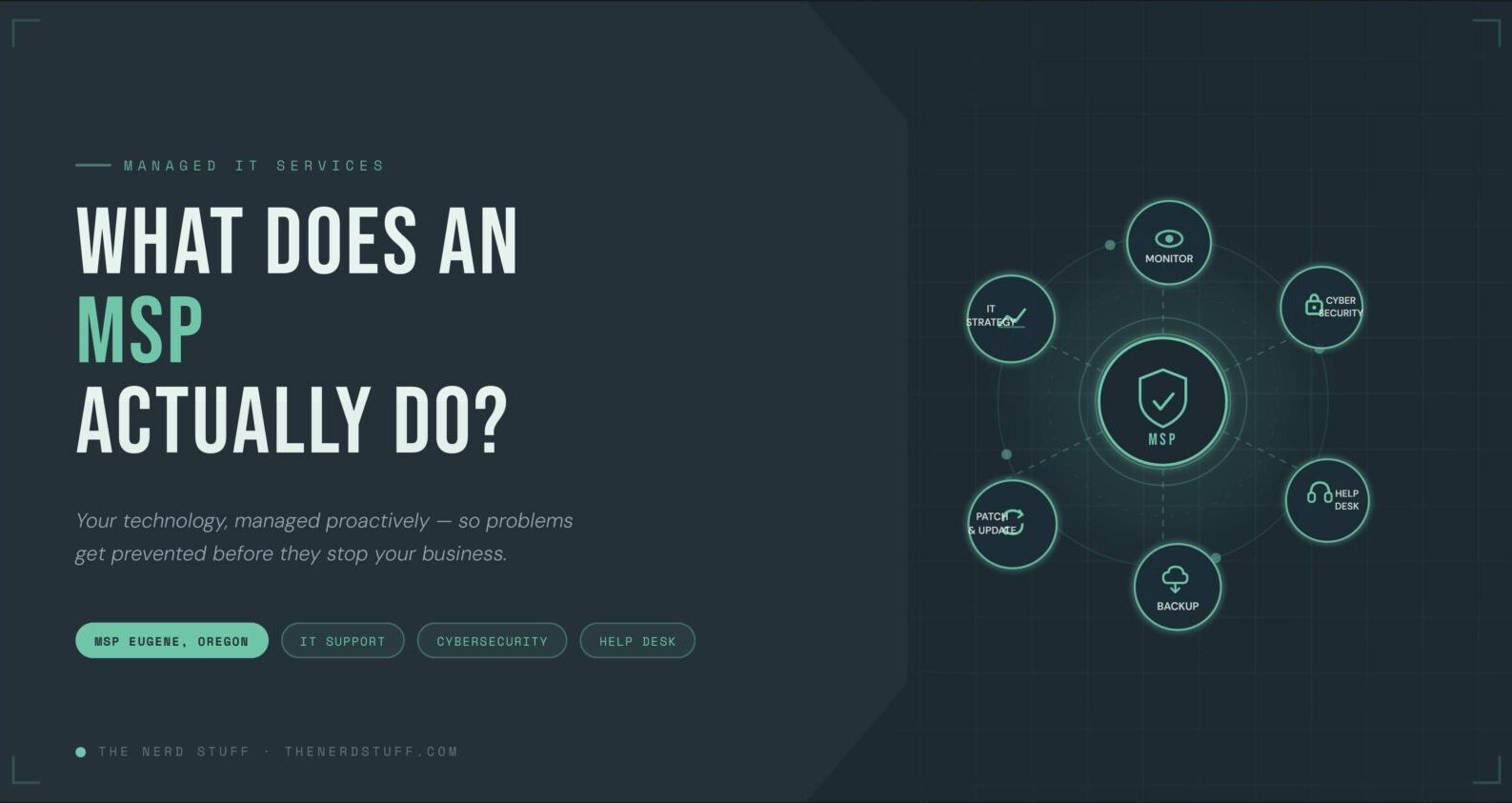
An MSP (Managed Service Provider) is a company that remotely manages a business's IT infrastructure, systems, and end-user support which is typically under a monthly subscription model. Instead of hiring a full in-house IT team, businesses partner with an MSP to handle everything from network monitoring and cybersecurity to software updates, helpdesk support, and data backups. MSPs proactively maintain your technology so problems are prevented before they disrupt your operations, rather than waiting for something to break before responding.
Q
What is an ISP? Provider
An ISP (Internet Service Provider) is the company that provides your business or home with access to the internet. Think of familiar names like Comcast, AT&T, Spectrum, or Verizon, these are all ISPs. They deliver internet connectivity through various technologies including fiber optic cables, cable lines, DSL, or wireless signals. Your ISP is the gateway between your local network and the broader internet, and the speed, reliability, and cost of your connection depend largely on which ISP and plan you choose.
Q
What is a Web Host? Provider
A web host is a company that provides the servers and infrastructure needed to store your website's files and make them accessible on the internet. When someone types your web address into a browser, their device connects to your web host's server to retrieve and display your site. Popular web hosting providers include GoDaddy, Bluehost, SiteGround, and WP Engine. Hosting plans vary from shared hosting (multiple websites on one server) to dedicated servers and cloud hosting, depending on your site's size and traffic needs.
Q
What is a Domain Registrar? Provider
A domain registrar is a company accredited to sell and manage domain names, which is the web addresses people use to find websites (for example, yourbusiness.com). Registrars like GoDaddy, Namecheap, Google Domains, and Cloudflare allow you to search for, purchase, and renew domain names for a yearly fee. Owning a domain doesn't automatically come with a website, you still need web hosting separately. Think of a domain registrar as the place that handles the official registration of your digital address, while the web host stores the actual content at that address.
Hardware & Networking
Q
What is an IT Stack? Infrastructure
An IT stack (also called a technology stack or tech stack) refers to the complete collection of hardware, software, platforms, and services that a business uses to operate its technology environment. This includes everything from physical devices like computers and servers, to networking equipment like routers and switches, to software tools like your CRM, accounting platform, cybersecurity solutions, and cloud services. Your IT stack is essentially the full picture of your technology ecosystem and all the layers that work together to keep your business running.
Q
What is a Router? Hardware
A router is a networking device that directs internet traffic between your devices and the internet. It acts as the central hub of your network, receiving the internet connection from your modem and distributing it to all devices such as computers, phones, printers, smart TVs and it is either through wired Ethernet cables or wirelessly via Wi-Fi. Routers also manage traffic between devices on the same network and provide basic security by acting as the first line of defense between your internal network and the outside internet.
Q
What is a Firewall? Security
A firewall is a security system, either hardware, software, or both and that monitors and controls incoming and outgoing network traffic based on predefined security rules. Think of it as a digital security guard stationed at your network's entrance, inspecting every piece of data trying to enter or leave and blocking anything that looks suspicious or unauthorized. Firewalls are a foundational layer of any cybersecurity strategy, protecting your network from hackers, malicious traffic, and unauthorized access. Businesses typically use dedicated hardware firewalls in addition to software firewalls on individual devices.
Q
What is a Modem? Hardware
A modem (short for modulator-demodulator) is the device that connects your business or home to your ISP's network, bringing the internet into your building. It translates the signal from your ISP, whether delivered via cable, fiber, or phone line then into a digital signal your network can use. The modem then connects to your router, which distributes that internet connection to your devices. Some ISPs provide a single device that combines both modem and router functions, but in business environments, keeping them separate typically offers better performance and control.
Q
What is a Switch? Hardware
A network switch is a hardware device that connects multiple devices within the same local network, allowing them to communicate with each other efficiently. While a router connects your network to the internet, a switch connects devices within your network like computers, printers, servers, IP phones, and security cameras, so they can share data and resources. Switches are especially important in business environments where many wired devices need reliable, high-speed connections. They intelligently direct data only to the specific device it's intended for, keeping your network fast and efficient.
Q
What is a Patch Panel? Hardware
A patch panel is a mounted hardware unit, typically installed in a server rack or network closet and that serves as a central connection point for all the network cables running throughout a building. Rather than running cables directly from wall ports to a switch (which creates a messy, hard-to-manage tangle), all cables terminate at the patch panel first. Short cables called "patch cables" then connect specific ports on the patch panel to the network switch. This makes adding, moving, or troubleshooting network connections far easier and keeps your cabling organized and clearly labeled.
Q
What is a Server? Hardware
A server is a powerful computer designed to store, process, and distribute data or services to other devices on a network. Unlike a regular desktop or laptop used by one person, a server is purpose-built to handle requests from many users simultaneously. Servers can perform a wide range of roles: storing shared files, running business applications, managing email, hosting websites, or handling authentication and security. In modern businesses, servers may be physical machines kept on-site, or they may be virtual servers running in the cloud or a combination of both.
Cloud & Software
Q
What is The Cloud? Platform
"The cloud" refers to servers, storage, databases, networking, software, and services that are accessed over the internet rather than from a physical computer or local server in your office. When you save a file to Google Drive, send email through Microsoft 365, or run software like Salesforce, you're using the cloud. Cloud providers like Amazon Web Services (AWS), Microsoft Azure, and Google Cloud own and maintain massive data centers around the world, and businesses pay to use their computing resources on demand. The main benefits are flexibility, scalability, remote access, and reduced need for on-site hardware.
Q
What is a VPN? Security
A VPN (Virtual Private Network) creates a secure, encrypted tunnel between a user's device and the internet or between a remote user and a company's private network. It masks the user's IP address and encrypts all data in transit, protecting sensitive information from interception, especially on public Wi-Fi networks. For businesses, VPNs are commonly used to give remote employees secure access to internal systems, files, and applications as if they were physically in the office. VPNs are an important layer of a business's cybersecurity strategy, particularly for remote and hybrid workforces.
Q
What is an RMM? Software
An RMM (Remote Monitoring and Management) platform is software used by MSPs and IT teams to remotely monitor, manage, and maintain client devices and networks from a central dashboard. RMM tools give IT professionals real-time visibility into device health, system performance, software updates, and security alerts across an entire fleet of computers and servers, without needing to be physically present. They can push updates, run scripts, resolve issues, and respond to alerts remotely and often automatically. RMM is one of the core tools that enables an MSP to proactively manage your IT environment 24/7.
Q
What is an MDM? Software
MDM (Mobile Device Management) is software that allows businesses to remotely manage, monitor, and secure employee mobile devices such as smartphones, tablets, and laptops, from a central platform. With MDM, IT administrators can enforce security policies (like requiring passcodes or encryption), push apps and updates, restrict access to certain features or websites, and remotely wipe a device if it's lost or stolen. As mobile and remote work has grown, MDM has become a critical tool for keeping business data secure on devices that operate outside the traditional office network perimeter.
Cybersecurity
Q
What is Antivirus Software? Security
Antivirus software is a security program designed to detect, prevent, and remove malicious software, particularly computer viruses from devices. It works by continuously scanning files, programs, and incoming data against a database of known threat signatures, flagging or quarantining anything that matches a recognized pattern of malicious code. Modern antivirus solutions have expanded well beyond their original scope and now often include protection against a broader range of threats including spyware, trojans, and some forms of malware, though dedicated anti-malware tools offer more comprehensive coverage for newer threat types.
Q
What is Anti-malware Software? Security
Anti-malware software is a broader category of security tool designed to detect and remove all types of malicious software including viruses, ransomware, spyware, adware, trojans, worms, and more. While antivirus focuses primarily on known virus signatures, anti-malware uses more advanced techniques like behavioral analysis and heuristic detection to identify suspicious activity, even from threats that haven't been seen before. For businesses, running both antivirus and anti-malware protection provides layered defense with one catching known threats by signature, the other catching new and evolving ones by behavior.
Q
What is Malware? Threat
Malware (short for "malicious software") is an umbrella term for any software intentionally designed to damage, disrupt, steal from, or gain unauthorized access to a computer system. It includes viruses, ransomware, spyware, adware, trojans, worms, and rootkits and among others. Malware can be delivered through infected email attachments, malicious websites, compromised software downloads, or USB drives. The consequences of a malware infection range from annoying pop-ups and sluggish performance to catastrophic data breaches, financial theft, and complete operational shutdown.
Q
What is Ransomware? Threat
Ransomware is a particularly damaging type of malware that encrypts a victim's files or locks them out of their systems entirely, then demands a ransom payment which is usually in cryptocurrency, in exchange for restoring access. Ransomware attacks can bring an entire business to a standstill in a matter of hours, encrypting everything from customer records and financial data to operational systems. Even if the ransom is paid, there's no guarantee files will be recovered. Prevention through layered security, regular data backups, and employee training is far more effective and far less expensive than dealing with an active ransomware attack.
Q
What is a Virus? Threat
A computer virus is a type of malicious software that attaches itself to a legitimate file or program and replicates by inserting copies of itself into other files or programs when executed. Much like a biological virus, it spreads from host to host and in this case, from file to file and device to device. Viruses can corrupt or delete data, slow down systems, send spam emails from infected accounts, or serve as a gateway for other attacks. They typically require some form of human action to trigger such as opening an infected attachment, running a compromised program, or clicking a malicious link.
Q
What is a Worm? Threat
A computer worm is a type of malware that, unlike a virus, can self-replicate and spread across networks entirely on its own without needing to attach to a file or require any human interaction to propagate. Once a worm infiltrates one device on a network, it automatically scans for and infects other vulnerable devices, consuming bandwidth, overloading systems, and delivering payloads like ransomware or spyware along the way. Worms can spread incredibly fast across an entire organization's network. Keeping systems patched and up to date is one of the most effective defenses, as worms typically exploit known software vulnerabilities to move from device to device.
Internet & Browsers
Q
What is the Address Bar? Browser
The address bar (also called the URL bar or omnibox) is the text field at the top of a web browser where you type or see the web address (URL) of the page you're visiting, for example, https://www.yourbusiness.com. It also doubles as a search bar in most modern browsers: typing a search term instead of a URL will automatically search the web. The address bar also displays important security information, a padlock icon indicates the site is using HTTPS encryption, meaning data sent between your browser and the site is encrypted and more secure.
Q
What is a Browser? Software
A web browser is a software application used to access, retrieve, and display content on the internet. When you type a web address or click a link, the browser communicates with web servers to fetch the requested page and renders it visually on your screen, translating code (HTML, CSS, JavaScript) into the text, images, and interactive elements you see. Common browsers include Google Chrome, Microsoft Edge, Mozilla Firefox, and Apple Safari. Browsers also manage your bookmarks, browsing history, saved passwords, and extensions, small add-on programs that enhance the browser's functionality.